Sometime you want to put your store offline for some reasons, for example: changing site’s template, adding new Magento module, create a landing page. So, how can we show maintenance mode page in magento (website under construction) when our website is under maintenance but still allows access from specific IP addresses?
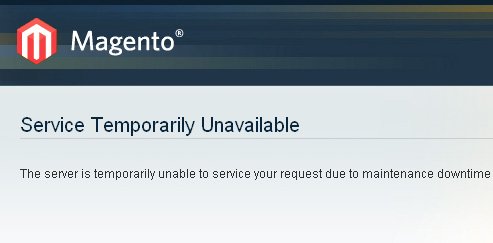
There are many ways to put a Magento store to Maintenance mode but in this tutorial, we will be dealing with maintenance.flag – a quick and safe way to put your store to maintenance mode. If you want your Magento website to show in maintenance mode, you will have to do two things.
1. Create a file name maintenance.flag in your magento root directory. Contents under this file doesn’t matter, you can keep it empty.
2. Change the maintenance file (located in magento root -> errors -> default directory) to show proper message when user visits your website.
How to edit maintenance message
In order to edit content showing on maintenance page, open errors/default/503.phtml file, find the maintenance message and edit as you wish.
<?php /** * Magento * * NOTICE OF LICENSE * * This source file is subject to the Academic Free License (AFL 3.0) * that is bundled with this package in the file LICENSE_AFL.txt. * It is also available through the world-wide-web at this URL: * http://opensource.org/licenses/afl-3.0.php * If you did not receive a copy of the license and are unable to * obtain it through the world-wide-web, please send an email * to license@magentocommerce.com so we can send you a copy immediately. * * DISCLAIMER * * Do not edit or add to this file if you wish to upgrade Magento to newer * versions in the future. If you wish to customize Magento for your * needs please refer to http://www.magentocommerce.com for more information. * * @category Mage * @package Errors * @copyright Copyright (c) 2014 Magento Inc. (http://www.magentocommerce.com) * @license http://opensource.org/licenses/afl-3.0.php Academic Free License (AFL 3.0) */ ?> <!-- [start] center --> <div id="main" class="col-main"> <!-- [start] content --> <div class="page-title"> <h1>Service Temporarily Unavailable</h1> </div> <p>The server is temporarily unable to service your request due to maintenance downtime or capacity problems. Please try again later.</p> <!-- [end] content --> </div> <!-- [end] center -->
0 Comments